With v10 and earlier I configured my controller switches/buttons to do various things: flaps up/down, gear up/down, reset, etc.
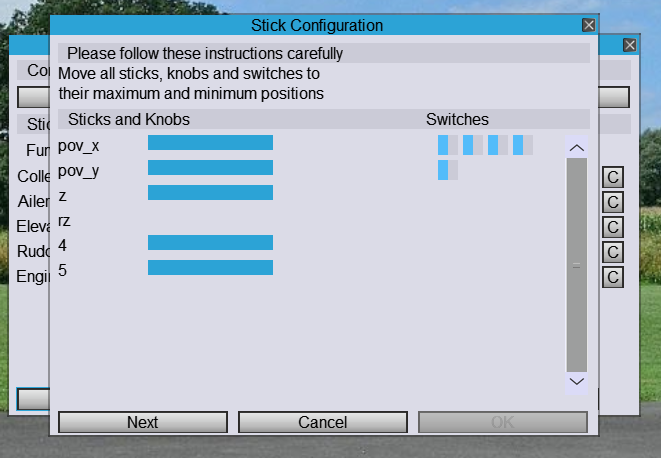
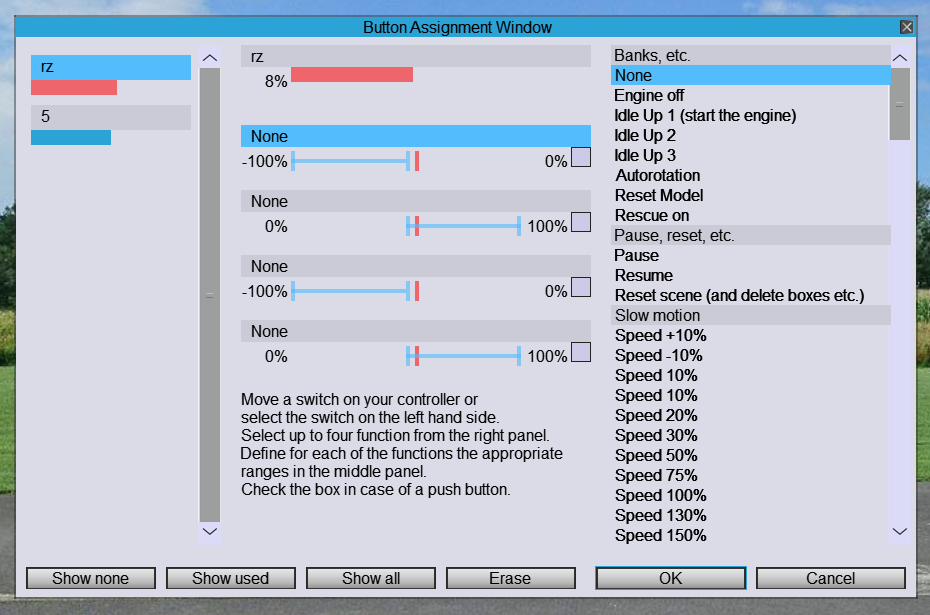
With v11 none of the controller switches/buttons show up on the "Buttons" tab when configuring the controller. Only the two unused analog channels show up on the Buttons tab. The switches/buttons do show up when I am configuring the sticks and I am instructed to move all controls to the max/min position. The switch states displayed do react as expected on that screen.
I'm using the same Futaba Interlink Elite USB controller that I have used for all previous versions of Heli-X.
How do I program my controller's switches/buttons in v11?
v11 can not configure switches/buttons
-
Grant_Edwards

- Posts: 32
- Joined: 11 Nov 2012 03:35
- Location: Minneapolis, Minnesota, USA
-
Grant_Edwards
- Posts: 32
- Joined: 11 Nov 2012 03:35
- Location: Minneapolis, Minnesota, USA
Re: v11 can not configure switches/buttons
BTW: when I move unused analog controls, they show up on the Buttons screen. When I toggle switches and push buttons, they do not show up on the Buttons screen.

Re: v11 can not configure switches/buttons
This should work.
You see graphics changing, when you move the switches, right?
Did you import the configuration file of V10? This is not comatible.
Maybe rest the configuration comlpetely (Menu Simulation ...) and try again
You see graphics changing, when you move the switches, right?
Did you import the configuration file of V10? This is not comatible.
Maybe rest the configuration comlpetely (Menu Simulation ...) and try again
-
Grant_Edwards
- Posts: 32
- Joined: 11 Nov 2012 03:35
- Location: Minneapolis, Minnesota, USA
Re: v11 can not configure switches/buttons
I do see graphics change for the switches when calibrating the Sticks:
But none of the switches show up on the Buttons window no matter how many times I toggle the switches. The '5' and 'rz' that do show up when they are changed are unused analog channels:
No I did not.Did you import the configuration file of V10? This is not comatible.
I've tried that many times. I've also tried removing the controller .xml files.Maybe rest the configuration completely (Menu Simulation ...) and try again
The only way I could get switches to show up on the Buttons window was to copy the <SwitchConfigN> elements from the v10 .xml file to the v11 .xml file. After I did that, the switches would show up on the Buttons tab when I moved them, and I was able to configure them.